Smart Heating
For about six months I extended Smart Heating, an ocStore shop for heating and building systems equipment. I connected order exchange with 1C BAS, wrote product loading from Excel, put boiler variants on a single product page, set up calculators with a PDF quote and rebuilt the catalog around building systems.
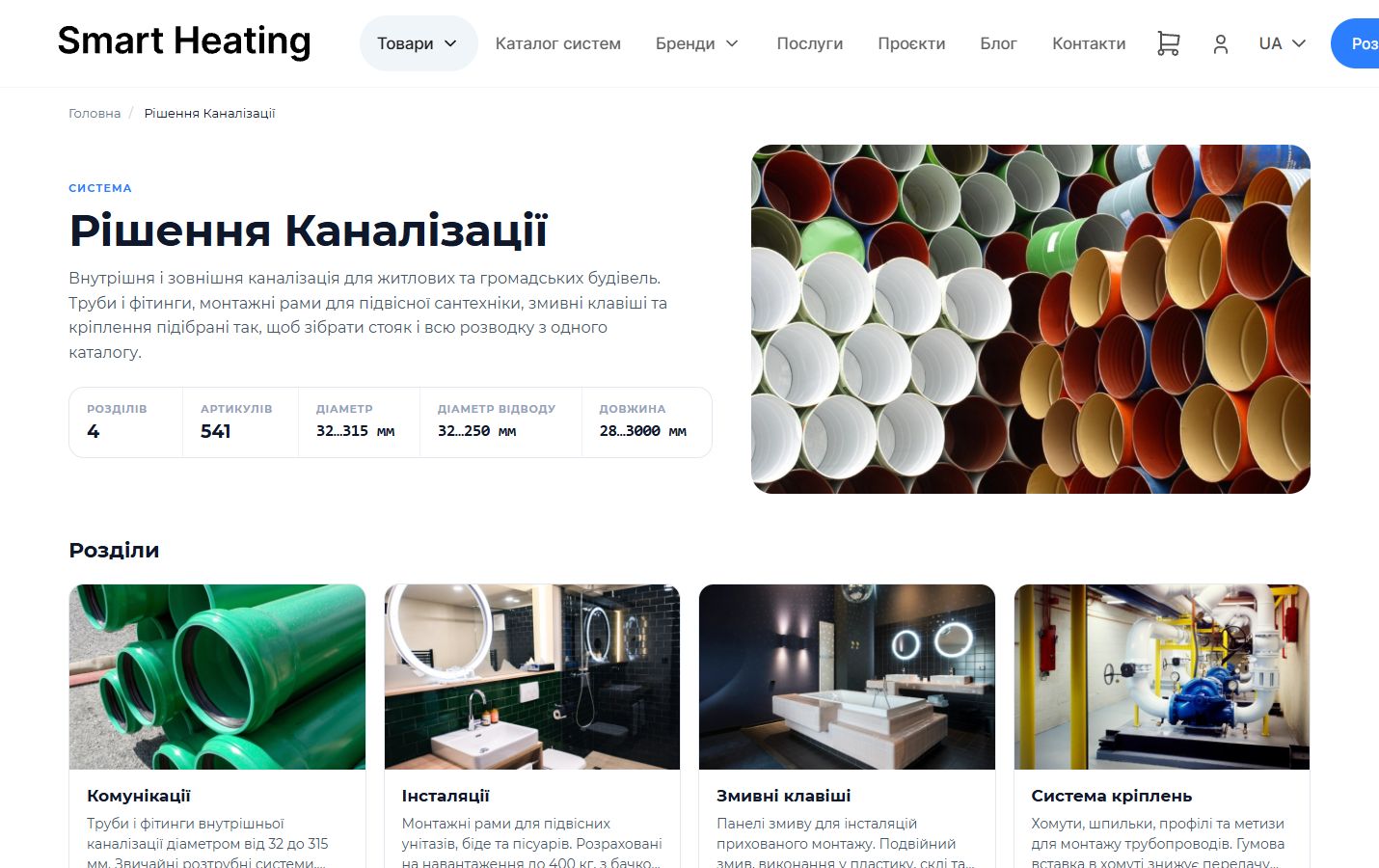
What the site looks like




01The task
The store ran on ocStore, a build of OpenCart 3, with a purchased theme. The owners didn't want to change platforms, so every module was written for the existing store. Products had to be loaded from a file, different boiler models and power ratings shown on one product page, the theme's calculators set up, and orders passed from the site to 1C. The second stage needed a catalog where the customer goes from a building system to a subsystem, a product line and then a product.
02What was built
- Orders go to 1C on their ownI connected the site to 1C BAS using the standard CommerceML exchange: every 15 minutes 1C picks up the orders a manager has confirmed. The catalog and prices stay on the site, so they're edited in one place.
- Debugging the 1C exchangeThe exchange was debugged together with a 1C specialist on the store's side. When some products started being created in 1C again as duplicates, we traced it to different SKUs on the site and in 1C and agreed to bring them to one format.
- Product import from ExcelA module for loading from Excel and CSV: which column goes into which product field is chosen in the admin. Before loading, you can see what the result will be, and every import stays in the history.
- Model and power on one pageThe customer switches the boiler's model and power rating without leaving the page. Variants of one boiler merge into a single product page on their own when loaded from a file.
- Calculators with PDF quotesThree equipment selection calculators came with the theme but weren't set up. I configured them for the store and added a PDF quote: the server recalculates the cost itself and returns a file with the parameters and the final price.
- Building systems catalogI moved a structure from a spreadsheet of 2,251 rows with six levels of nesting into the database: systems, subsystems, product lines, categories. Re-importing updates sections without duplicates, and after optimization a system page opens in 0.6 seconds instead of 11.
- Projects, services and requestsI built the projects and services sections, a catalog filter and consultation requests. Requests are stored in the admin and sent to the store's email.
Orders go to 1C on their own
I connected the site to 1C BAS using the standard CommerceML exchange: every 15 minutes 1C picks up the orders a manager has confirmed. The catalog and prices stay on the site, so they're edited in one place.
Debugging the 1C exchange
The exchange was debugged together with a 1C specialist on the store's side. When some products started being created in 1C again as duplicates, we traced it to different SKUs on the site and in 1C and agreed to bring them to one format.
Product import from Excel
A module for loading from Excel and CSV: which column goes into which product field is chosen in the admin. Before loading, you can see what the result will be, and every import stays in the history.
Model and power on one page
The customer switches the boiler's model and power rating without leaving the page. Variants of one boiler merge into a single product page on their own when loaded from a file.
Calculators with PDF quotes
Three equipment selection calculators came with the theme but weren't set up. I configured them for the store and added a PDF quote: the server recalculates the cost itself and returns a file with the parameters and the final price.
Building systems catalog
I moved a structure from a spreadsheet of 2,251 rows with six levels of nesting into the database: systems, subsystems, product lines, categories. Re-importing updates sections without duplicates, and after optimization a system page opens in 0.6 seconds instead of 11.
Projects, services and requests
I built the projects and services sections, a catalog filter and consultation requests. Requests are stored in the admin and sent to the store's email.
03Result
The 1C specialist on the store's side confirmed that orders from the site reach the accounting system on their own, on a schedule. The systems catalog is published and available from the menu. The work went in stages over about six months: after the first stage the store came back for the systems catalog, then handed over supplier price lists for the next part.
Planning
an online store?
Leave your email and a few words about your project, and I'll get back to you.

Vitalii Hura · UkraineOnline until 2 PM New York time and the full EU workday.
Describe the task in a few words, at least 10 characters. Enter your email in the format name@company.com. Could not send. Check the connection and try again, or write to hello@vitaliihura.com.
Prefer chat? Message me on Telegram or hire me on Upwork.